
Appearance
Custom Fields
Custom fields are the heart of what makes WordPress a true content management system rather than a simple blogging platform. While WordPress ships with a handful of standard fields like title, content, and excerpt, virtually every professional website extends posts and pages with structured data through custom fields — also known as post meta. Whether you are building a real estate listing with price, square footage, and agent details, or a product catalog with SKUs, dimensions, and inventory counts, custom fields are what hold that structured information together. WPfaker understands this deeply, and its custom field support is one of its most powerful capabilities.
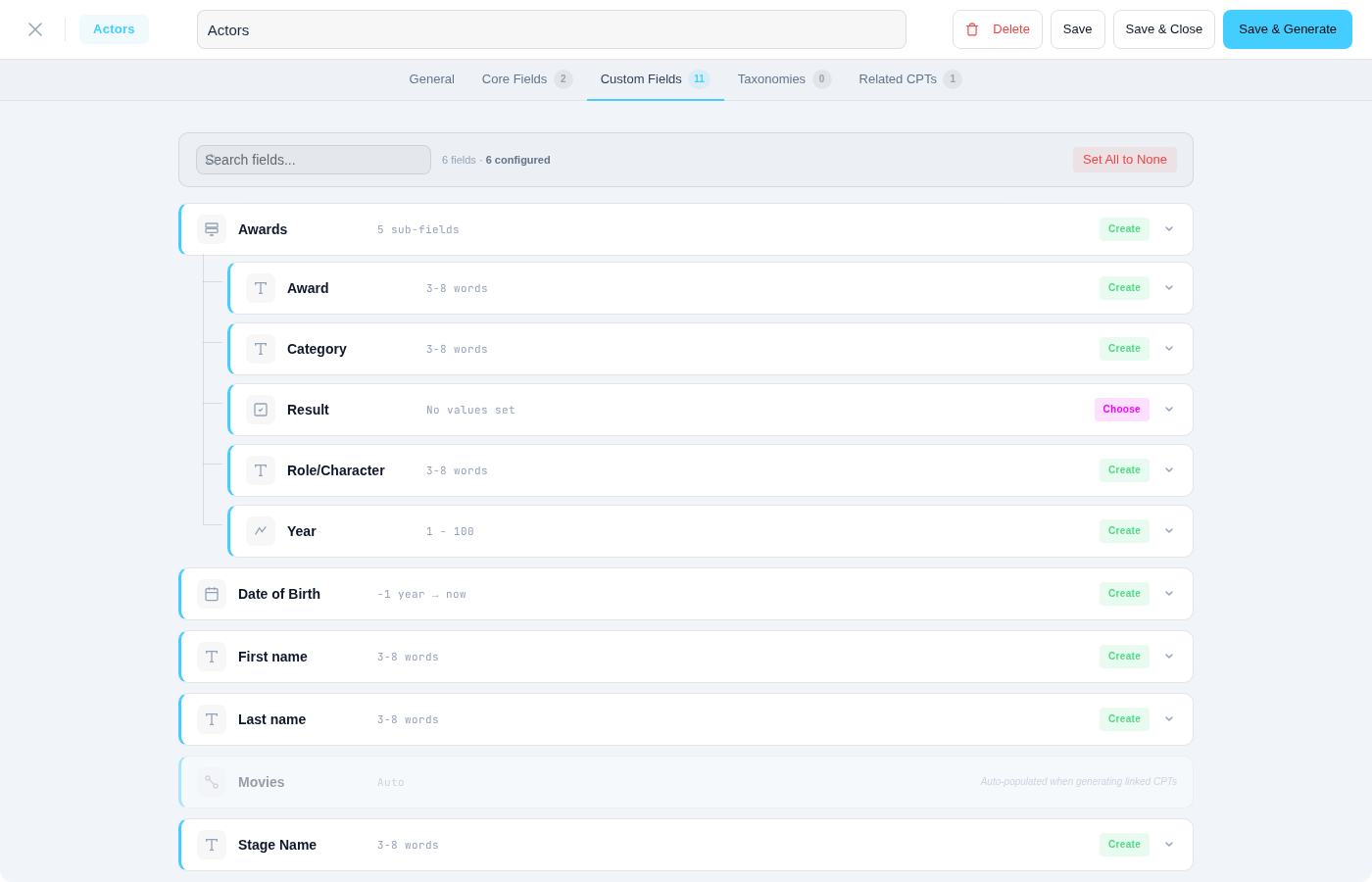
When you generate fake posts with WPfaker, the plugin does not just fill in the title and body text. It scans your site for registered custom field groups, identifies every field type and its configuration, and then produces realistic, type-appropriate data for each one. The result is generated content that looks and behaves exactly like hand-entered data — complete with formatted dates, valid email addresses, proper image attachments, and correctly linked relational references.
TIP
WPfaker detects custom fields automatically. You do not need to configure anything beyond activating your field plugin and assigning field groups to a post type. Once a field group is assigned, its fields appear in WPfaker's interface and are populated during generation.
Supported Field Plugins
WPfaker ships with dedicated adapters for seven field plugins, each tailored to the plugin's storage format and API. Multiple adapters can be active simultaneously, so if your site uses both ACF and JetEngine, both sets of fields are detected and populated in a single generation run.
ACF (Advanced Custom Fields)
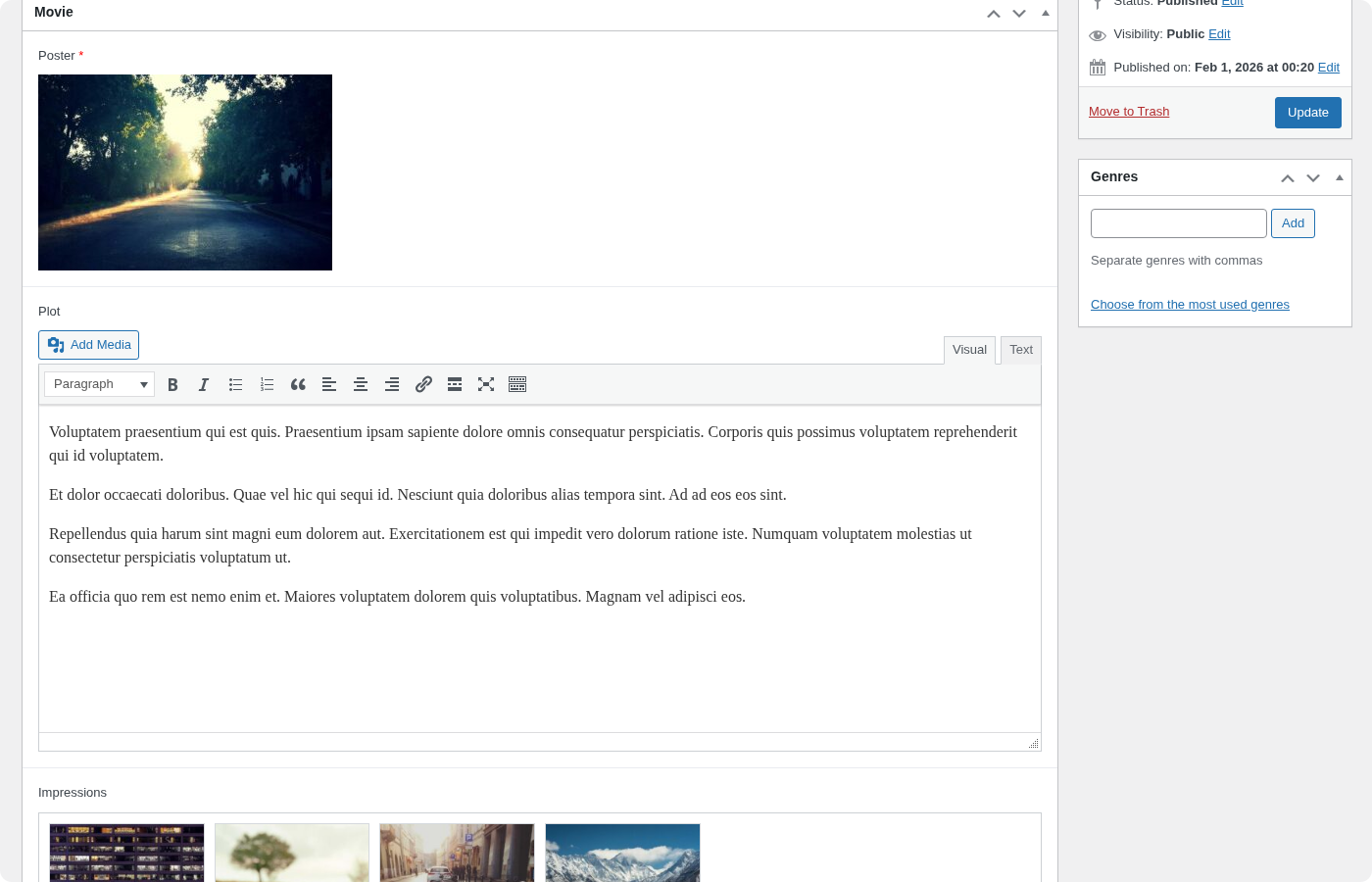
Advanced Custom Fields is the most widely used field plugin in the WordPress ecosystem, powering millions of sites worldwide. WPfaker provides comprehensive support for every ACF field type across both the free and Pro editions. On the free tier, WPfaker handles all basic and content fields: text, textarea, WYSIWYG editor, number, range, email, URL, and password. It also supports choice fields like select, checkbox, radio button, button group, and true/false toggles, as well as relational fields including link, post object, page link, relationship, taxonomy, and user. Media fields such as image and file are fully supported with actual downloads from your configured image provider.
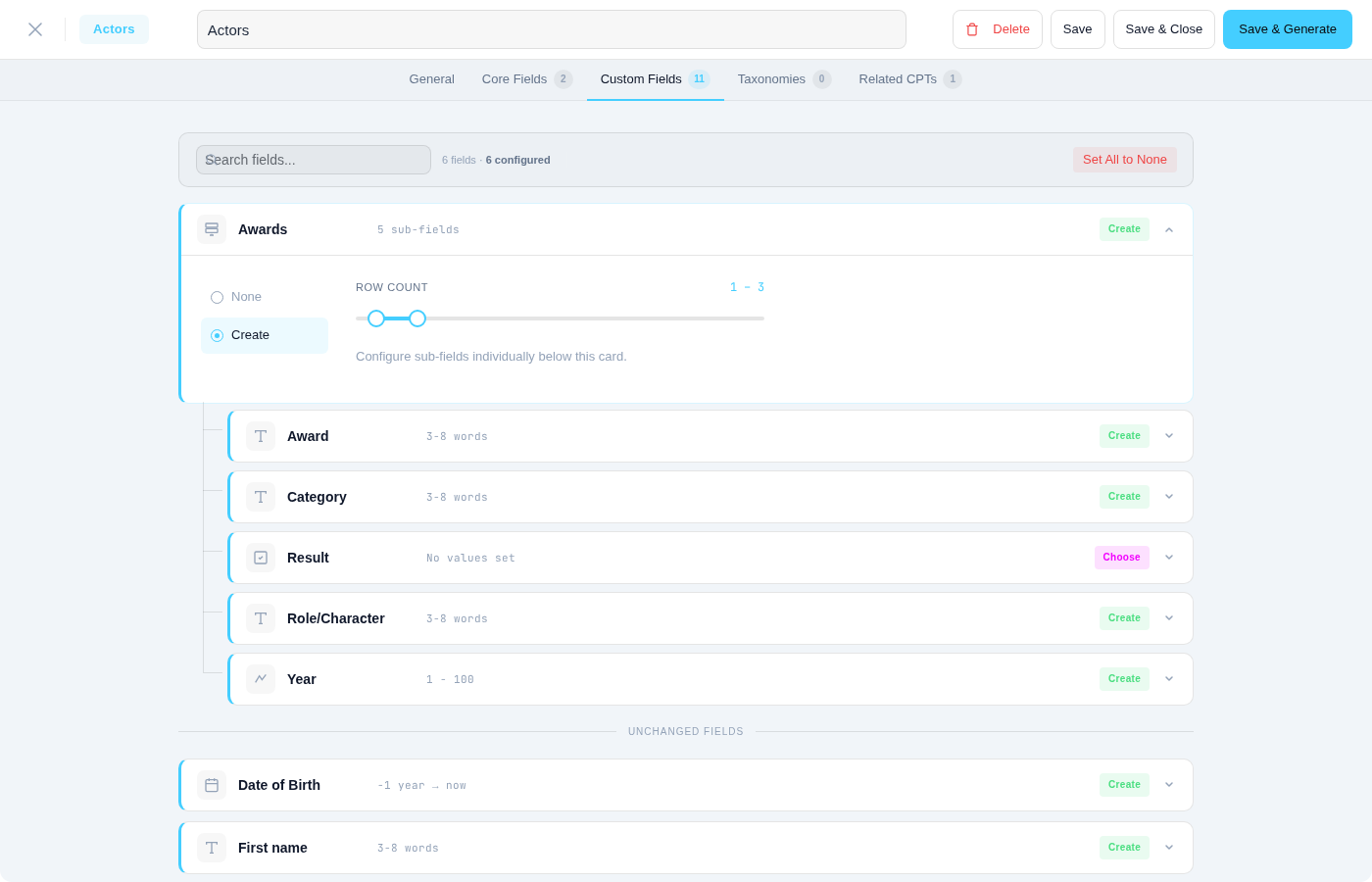
For ACF Pro users, WPfaker goes further by populating complex field types that most fake data tools simply ignore. Repeater fields receive multiple rows of realistic sub-field data. Flexible content fields are filled with randomized layouts, each containing appropriately generated content. Group and clone fields are resolved recursively so that nested structures come out fully populated. Gallery fields receive multiple downloaded images. Date picker, date-time picker, time picker, color picker, Google Map, and oEmbed fields all produce correctly formatted values that ACF's front-end rendering functions can display without any issues.
ACF Extended (ACFE)
ACF Extended builds on top of Advanced Custom Fields by adding field types that ACF does not natively offer. WPfaker's ACFE adapter handles both the free and Pro tiers of this plugin. On the free side, you get support for phone number fields with locale-appropriate formatting, advanced link fields that include URL, title, and target attributes, slug fields with URL-safe strings, and code editor fields that produce syntactically plausible snippets in PHP, HTML, CSS, JavaScript, or JSON depending on the editor's language configuration. Block editor fields, date range pickers, and selection fields for post types, user roles, taxonomy terms, currencies, countries, and languages are all detected and populated with valid values.
The ACFE Pro edition introduces several specialized field types that WPfaker also supports. The address field is particularly noteworthy because it stores structured address components — street, city, postal code, state, and country — and WPfaker generates locale-aware addresses in eight languages, drawing on FakerPHP's extensive locale libraries. Payment fields, payment cart fields, and payment selector fields receive appropriately formatted financial data. Additional Pro types like field types selectors, image sizes selectors, and post field references are all handled gracefully.
JetEngine
JetEngine by Crocoblock is a comprehensive toolkit for building dynamic WordPress sites without code. It provides its own custom field system, custom post type registration, taxonomy management, and a powerful Relations feature for connecting content across post types. WPfaker's JetEngine adapter supports seventeen field types including text, textarea, number, WYSIWYG, date, time, datetime, select, checkbox, radio, switcher, media, gallery, repeater, posts (relational), color picker, and icon picker. Beyond field population, WPfaker also reads JetEngine's CPT and taxonomy registrations so that all JetEngine-created content types appear automatically in WPfaker's post type dropdown.
One of JetEngine's distinguishing features is its Relations system, which stores connections between posts in dedicated database tables rather than post meta. WPfaker fully supports one-to-one, one-to-many, and many-to-many JetEngine relations through its three-pass generation system. For a comprehensive guide to JetEngine integration, see the dedicated JetEngine Fields page.
Meta Box AIO
Meta Box AIO is a developer-oriented field framework that supports over forty field types and offers both a code-based API and a visual UI builder through its extensions. WPfaker's Meta Box AIO adapter covers the full range of text variants (text, URL, email, password), numeric types (number, range, slider), date and time pickers, and all media types including file, file_advanced, image, image_advanced, image_upload, and video. Select variants are fully supported: standard select, select_advanced with search, autocomplete with AJAX, and image_select for visual option picking. The WYSIWYG editor, oEmbed, color picker, map (Google Maps), osm (OpenStreetMap), key-value pair, and sidebar fields all receive appropriate fake data. Relational types — post, taxonomy, taxonomy_advanced, and user — are populated using WPfaker's multi-pass system to ensure referenced content exists before links are created.
Meta Box AIO (All-In-One) bundles all premium Meta Box AIO extensions into a single plugin. If you use MB Custom Table to store meta in custom database tables, WPfaker writes to the correct location automatically.
ACPT (Advanced Custom Post Type)
ACPT takes a different approach to custom fields by providing its own post type builder alongside a rich set of over twenty-five field types, all stored in custom database tables rather than the standard wp_postmeta table. WPfaker's ACPT adapter reads field definitions from ACPT's database schema and generates data accordingly. Standard types like text, number, date, and media are handled as expected. ACPT also offers specialized types that other plugins lack — address fields with structured components, currency fields with locale-aware formatting, rating fields with configurable scales, barcode and QR code fields with valid encoded strings, table fields with row and column data, and icon fields referencing icon libraries. WPfaker produces valid data for each of these, ensuring that ACPT's front-end rendering functions display the generated content correctly.
CPTUI (Custom Post Type UI)
CPTUI is one of the most popular plugins for registering custom post types and taxonomies through a visual admin interface. While CPTUI does not provide custom fields of its own, WPfaker detects all post types and taxonomies registered through CPTUI and makes them available in the post type dropdown. This means that if you use CPTUI to register your content types and ACF or another plugin to define their fields, WPfaker seamlessly bridges both — detecting the CPTs from CPTUI and the fields from your field plugin.
Native WordPress Meta
WordPress itself offers a programmatic way to register structured meta fields through the register_post_meta() function. WPfaker's native adapter picks up these fields automatically, even when no third-party field plugin is installed. If a developer registers fields like this:
php
register_post_meta('product', 'price', [
    'type' => 'number',
    'single' => true,
    'show_in_rest' => true,
]);
WPfaker detects the field, reads its type declaration, and generates an appropriate numeric value. Supported native types include string (mapped to text generation), number and integer (mapped to numeric generation), boolean (mapped to true/false), and array (mapped to multiple values). This fallback adapter ensures that even minimalist setups without any field plugin still benefit from WPfaker's smart data generation.
Extending Field Support
Need support for a field plugin not listed here? You can create a WPfaker addon that adds a custom field adapter. See the Addon Development Guide for details.
How Detection Works
WPfaker uses an Adapter pattern to abstract away the differences between field plugins. At the core of this system is the AdapterFactory, which runs during initialization and queries WordPress for active plugins. For each supported plugin it detects, it instantiates the corresponding adapter class. If your site runs ACF, JetEngine, and Meta Box AIO simultaneously, three adapters are created and all three contribute their fields to the generation pool.
Each adapter implements a common interface that exposes two key methods: one to retrieve the list of field groups and fields for a given post type, and another to save generated values in the format that the field plugin expects. This second method is critical because different plugins store data differently — ACF uses specific meta key prefixes, JetEngine stores media as JSON objects, and ACPT writes to custom tables. The adapter pattern ensures that generated data is always stored in the correct format for seamless front-end rendering.
INFO
When multiple field plugins register fields for the same post type, all fields from all plugins are detected and populated. There is no conflict between adapters. Each adapter only manages the fields belonging to its own plugin.
Field Type Mapping
Every field type detected by an adapter is mapped to an appropriate FakerPHP generator method. Text fields receive sentences or paragraphs depending on length configuration. Number fields receive random integers or decimals within their configured min/max range. Email fields receive safe, non-deliverable email addresses from the safeEmail generator. Date fields receive dates formatted according to the field's expected format. Image fields trigger actual image downloads from your configured image provider and store the resulting attachment ID.
Beyond simple type-based mapping, WPfaker also performs intelligent field name analysis. This is the Field Detection system, which examines the field's name and label to infer context. A number field named price receives a currency-formatted value like 249.99, while a number field named rooms receives a small integer like 4. A text field named iban receives a valid IBAN string, and a text field named phone receives a locale-formatted phone number. Over 780 patterns across 160 detection types are built into this system, covering banking, personal information, contact details, addresses, company data, technical identifiers, measurements, and more.
Relational Fields and the 3-Pass System
Fields that reference other posts — such as ACF's post object, relationship, and taxonomy fields, JetEngine's posts field, or Meta Box AIO's post and taxonomy types — present a unique challenge. You cannot link Post A to Post B if Post B does not exist yet. WPfaker solves this with a three-pass generation system that ensures all referenced content is available before any links are created.
During the first pass, WPfaker creates all posts across all selected post types with their non-relational fields fully populated. Text, numbers, dates, images, and other standalone fields are filled in, but relational fields are left empty. During the second pass, WPfaker loops back through every generated post and populates relational fields by selecting from the posts that now exist. If an ACF relationship field on a property post type references an agent post type, WPfaker picks from the agents created in the first pass. During the third pass, JetEngine Relations (which use custom database tables rather than post meta) are created by inserting connection records into the jet_rel_default table.
This three-pass approach ensures referential integrity across all generated content, regardless of which field plugin defines the relationships.
TIP
When generating content with relational fields, make sure to include the referenced post types in the same generation batch, or ensure that posts of the referenced type already exist in your database. Otherwise, relational fields will have no valid targets to link to.
Variation and Custom Fields
When Content Variation is enabled, WPfaker introduces realistic inconsistency into the generated data. Required fields are always populated regardless of the variation profile, because a real-world site would enforce required fields too. Optional fields, however, are subject to the variation profile's fill rate. Under the "Partial" profile, roughly half of optional fields might be left empty for any given post. Under the "Minimal" profile, only about twenty percent are filled. The first generated post in every batch always receives the "Complete" treatment — all fields populated — so you have a reference baseline to compare against the varied posts.
This variation applies to all custom field types uniformly. An optional image field might be skipped, an optional textarea might be left blank, and an optional select field might remain at its default value. The result is a dataset that closely mirrors real-world content patterns, where not every post has every field filled in.
Document & File Generation
When a custom field expects a file attachment rather than an image — such as ACF's file field, Meta Box AIO's file_advanced field, or ACPT's file field — WPfaker generates real documents and imports them into the WordPress media library. Supported file types include PDF, DOCX, XLSX, CSV, and TXT.
WPfaker generates each document type with realistic content:
- PDF — Downloaded from public sample sources or generated locally as a valid PDF file with FakerPHP paragraphs.
- DOCX — Built as a real Office Open XML document using PHP's ZipArchive. Contains a title and multiple paragraphs of generated text.
- XLSX — Built as a real Office Open XML spreadsheet. Contains a header row and 10 to 20 data rows with names, emails, phone numbers, and amounts.
- CSV — Generated with a BOM header for Excel compatibility, semicolon-delimited, containing contact and financial data rows.
- TXT — Plain text files with a title, timestamp, and multiple paragraphs.
Every generated file is stored in wp-content/uploads, registered as a media library attachment, and marked with _wpfaker_generated metadata for tracking through History. File fields receive the attachment ID, so your theme's file rendering functions work without modification.
WPfaker reuses existing generated files when possible. If a PDF already exists in the media library from a previous generation run, new file fields may reference it instead of generating a fresh document. On plugin activation, WPfaker creates one sample file of each type so that file fields have attachments available immediately.
INFO
DOCX and XLSX generation requires PHP's ZipArchive extension, which is available on most hosting environments. If ZipArchive is not installed, WPfaker falls back to generating a TXT file for Word fields and a CSV file for Excel fields.
Troubleshooting
If your custom fields are not being detected, start by confirming that your field plugin is active and that the field group is assigned to the post type you are generating. Fields set to hidden or inactive in your field plugin's configuration will not appear in WPfaker. If fields are detected but receiving inappropriate data, try using more descriptive field names that match WPfaker's built-in patterns, or enable AI Detection for fields with ambiguous or non-English names. For large field groups with many fields, consider generating smaller batches of one or two posts first to verify the output before scaling up.