
Appearance
Content Variation
On a real WordPress site, no two posts look exactly the same. Some posts have featured images while others do not. Some authors fill every custom field meticulously, while others leave half of them empty. Some posts are tagged with eight terms, others with just one. This natural diversity is what makes a site feel authentic — and it is exactly what WPfaker's content variation system recreates in your test data.
Without variation, every generated post would be structurally identical: the same number of categories, every custom field populated, every post with a featured image. That kind of uniformity might seem tidy, but it produces test data that does not reflect how real content behaves. Themes and layouts that look perfect with uniform data often break in subtle ways when confronted with the messy reality of actual user content. Content variation exists to surface those problems before your users do.
TIP
Content variation controls the structural diversity of generated posts. It works hand-in-hand with the Template System, which defines what to generate. The template says "this price field should be a number between 10 and 1000," and variation decides whether that field gets filled at all for a particular post.
Enabling Variation
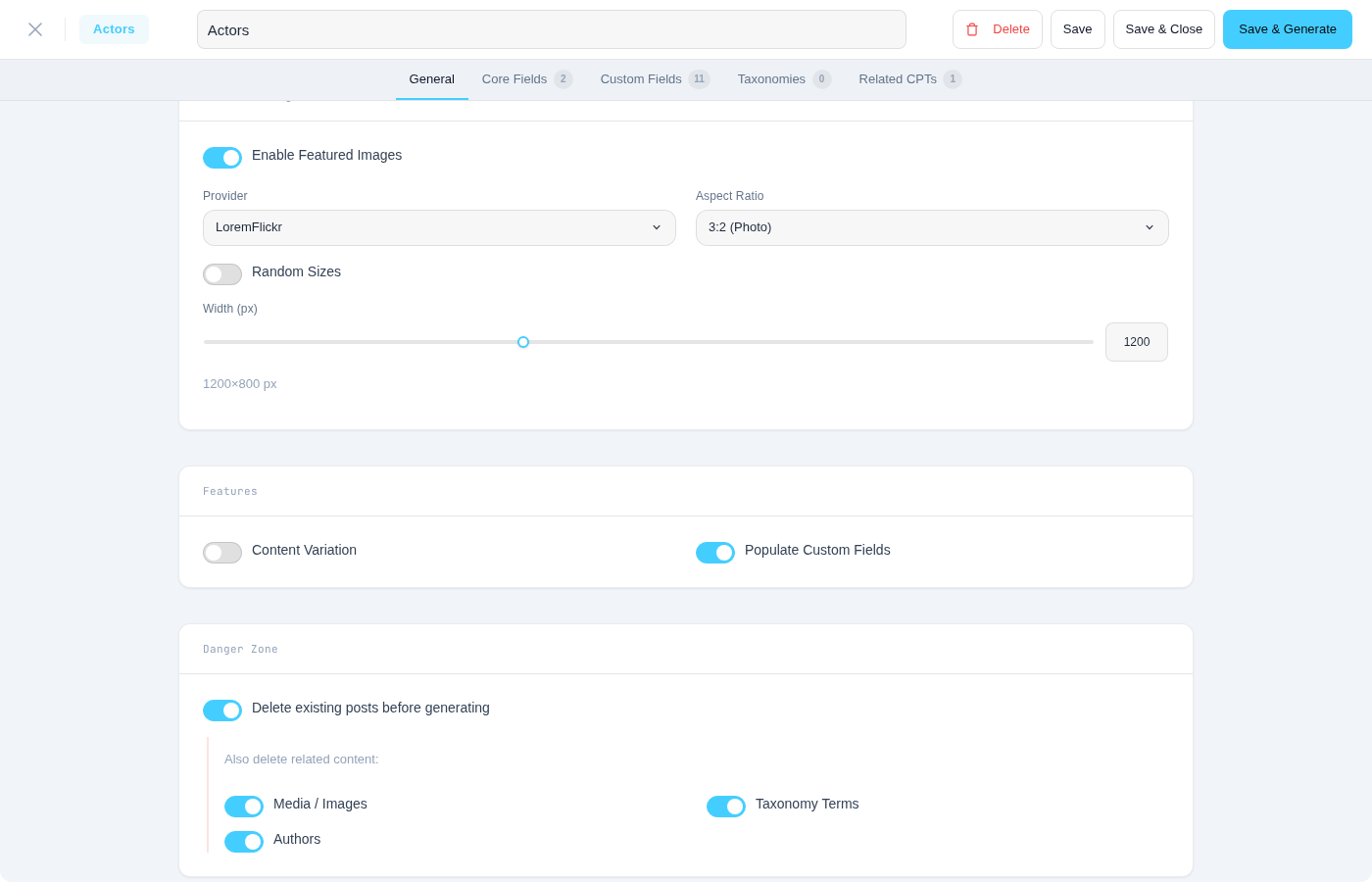
To enable content variation, open the Generate Posts interface (or configure it in a template) and check the Enable Content Variation toggle. Once enabled, a dropdown appears where you select one of the four variation profiles described below. Each profile defines a different level of structural diversity, from sparse to fully complete.
Variation Profiles
WPfaker ships with four variation profiles. Each one defines probability ranges for featured image presence, field completion rates, taxonomy assignment counts, and content length variation. Choosing the right profile depends on what you are testing.
Random (Recommended)
The Random profile produces the most realistic and unpredictable test data. It is the profile you should reach for in most situations, because it most closely simulates the kind of content a real team of authors would produce over time. Featured images appear on roughly 70 percent of posts. Custom field completion varies widely from post to post, with some posts having nearly every field filled and others having only a handful. Taxonomy term assignments fluctuate within the configured range, so one post might receive five categories and eight tags while the next gets a single category and no tags at all. Content length varies naturally as well, with title word counts and body paragraph counts shifting from post to post. This profile is ideal for general theme testing, QA workflows, and any scenario where you want your test data to feel alive rather than manufactured.
Minimal
The Minimal profile simulates a site where authors do the bare minimum. Roughly 70 percent of posts still receive featured images (the same probability as other profiles), but field completion is restricted to required fields only. Only required fields are populated — everything marked as optional is left empty. Taxonomy assignments are sparse, with most posts receiving just one category and zero to two tags. This profile is valuable for testing how your theme and layouts handle missing data. It surfaces problems like broken layouts when there is no featured image, empty sidebar widgets when custom fields are unpopulated, and archive pages that look anemic when posts have minimal taxonomy assignments. If your theme degrades gracefully under the Minimal profile, it will handle real-world edge cases with confidence.
Partial
The Partial profile sits in the middle ground between Minimal and Complete. Featured image probability follows the same ~70 percent rate as other profiles. About half of all optional custom fields are filled on any given post. Taxonomy assignments are moderate, typically one to three categories and zero to five tags per post. This profile represents the "average" content scenario — neither perfectly complete nor aggressively sparse. It is a good choice when you want to test what the typical user experience looks like, without the extremes of either direction. Partial is also useful for generating demo content that looks believable without requiring every field to be configured.
Complete
The Complete profile fills everything. Every post gets a featured image. Every custom field is populated, regardless of whether it is required or optional. Taxonomy terms are assigned at the maximum configured count. This profile is useful when you need to verify that every field displays correctly in your theme, when you are taking screenshots for documentation, or when you need reference posts that demonstrate the full capabilities of a complex custom post type. However, because every post looks equally "complete," this profile produces the least realistic test data. It is a tool for verification, not for simulating real-world content patterns.
INFO
The Complete profile is the only one where you can be certain that every configured field, taxonomy, and media attachment will be present on every post. Use it when thoroughness matters more than realism.
The First Post Rule
Regardless of which variation profile you select, the very first post in every generation batch always receives the Complete treatment. Every field is filled, a featured image is attached, and all taxonomies are assigned at their maximum count. This guarantee exists so that you always have at least one fully populated reference post to verify your templates, layouts, and field configurations against.
The First Post Rule is especially important when using the Minimal or Random profiles, where it is otherwise possible (though unlikely) to generate an entire batch without a single post that demonstrates the full data structure. With the first post always complete, you can confidently check that your theme handles the "ideal" case correctly, then scroll through the remaining posts to see how it copes with variation.
What Gets Varied
Content variation affects several dimensions of the generated posts. Understanding what changes and what stays constant helps you interpret your test data correctly.
Featured Image Presence
The most visible form of variation is whether a post receives a featured image. WPfaker uses a uniform ~70% probability across all variation profiles (Random, Minimal, Partial). The first 70% of posts in a batch receive images, and the remaining posts each have a 50% chance. The Complete profile always assigns a featured image to every post. Posts without a featured image test your theme's fallback behavior — placeholder images, alternative layouts, or hidden image containers. The image provider settings determine the source and dimensions of images when they are present.
Content Length
Even within a single generation batch, the length of generated content varies. Title word counts shift within the configured range, body paragraph counts fluctuate, and excerpts may be present or absent depending on the profile. This variation is important for catching layout issues caused by very long or very short titles, content areas that overflow their containers, and excerpt displays that break when the excerpt is missing.
Taxonomy Term Assignments
The number of categories, tags, and custom taxonomy terms assigned to each post varies according to the profile. One post might receive three categories and five tags, while the next gets a single category and no tags. This variation tests archive pages, tag clouds, category listings, and any widget or template that relies on taxonomy counts. The terms themselves are drawn from the pool defined in your template's taxonomy configuration or generated on the fly when using Create mode.
Custom Field Completion
For optional custom fields, the variation profile determines the probability that each field gets filled on any given post. Under the Random profile, one post might have 80 percent of its optional fields populated while the next has only 30 percent. Required fields are always filled regardless of the profile — variation never causes a required field to be skipped. This behavior tests your theme's handling of partially populated posts, which is one of the most common sources of front-end bugs in WordPress sites with complex custom field structures.
Author Distribution
Authors are always rotated from the available author pool, regardless of whether variation is enabled. If you have three authors (or generate new ones via User Generation), WPfaker distributes posts across them to create realistic multi-author patterns. This is not controlled by the variation profile — it happens automatically. The distribution is roughly even but not perfectly uniform, mirroring how a real editorial team would produce content.
Natural Diversity Without Variation Enabled
Even when the content variation toggle is turned off, some natural diversity still occurs in every generation batch. Authors are always rotated, so different posts will be attributed to different users. Content text is always randomized by FakerPHP, so every post gets unique titles, body text, and excerpts. The randomness comes from FakerPHP itself — no two sentences or paragraphs are the same. What is disabled when variation is turned off is only the structural variation: the probabilistic decisions about image presence, field completion, and taxonomy assignment counts. With variation off, every post gets the same structural treatment — images on all posts, all fields filled, consistent taxonomy counts — but with different text content.
Combining Variation with Templates
Templates and variation are complementary systems. A template defines the "what" — which fields to populate, which faker methods to use, what parameter ranges to apply. Variation defines the "how much" — whether each field actually gets populated for any given post, and how many taxonomy terms are assigned. A template might specify that a "price" custom field uses a random integer between 10 and 1000, but variation determines whether that price field gets a value at all for a particular post (unless it is marked as required, in which case it is always filled).
This separation means you can use the same template with different variation profiles to produce different testing scenarios. Apply the template with the Complete profile for documentation screenshots where every field needs to be visible. Switch to Random for realistic QA testing. Use Minimal to stress-test your theme's fallback behavior. The template stays the same — only the structural diversity changes.
Best Practices
For most testing scenarios, the Random profile is the best default choice. It produces the most realistic test data and is the most likely to surface layout issues that would occur with real content. Use the Complete profile specifically when you need to verify that all fields display correctly or when creating screenshots and demos. Reserve the Minimal profile for deliberate edge-case testing, where you want to see how your theme handles the worst-case content scenario. The Partial profile is useful as a middle ground when Random feels too unpredictable for a particular test.
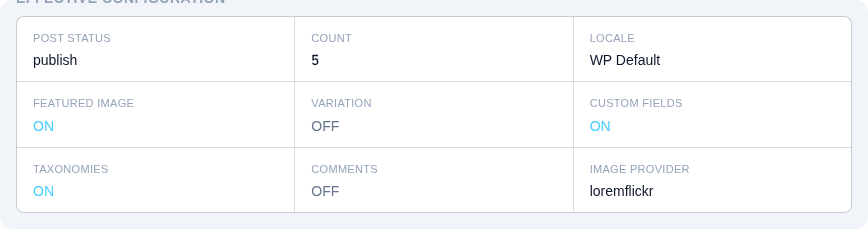
After generating a batch with variation enabled, review the results in the History view to see the variation statistics. This summary shows how many posts received images, the average field completion rate, and the taxonomy distribution across the batch. Reviewing these statistics helps you understand the shape of your test data and decide whether the current profile meets your testing needs.
WARNING
Remember the First Post Rule when evaluating your test data. The first post in every batch is always fully complete, regardless of the selected profile. If you are testing edge cases with the Minimal profile and the first post looks suspiciously perfect, that is expected behavior — scroll to the second post onward to see the actual variation in action.